Tutorial
Usage
The main script is qr-verbose:
usage: qr-verbose [-h] [-v VERSION] [-e {L,M,Q,H}] [-m {-1,0,1,2,3,4,5,6,7}] -o OUTPUT [-t {regular,bw,color,ascii}]
                  [--logo-path LOGO_PATH] [--logo-radius LOGO_RADIUS]
                  data

Generate a QR code with detailed visualization

positional arguments:
  data                  The data to encode in the QR code

options:
  -h, --help            show this help message and exit
  -v, --version VERSION
                        QR code version (1-40)
  -e, --error-correction {L,M,Q,H}
                        Error correction level (L=7%, M=15%, Q=25%, H=30%)
  -m, --mask-pattern {-1,0,1,2,3,4,5,6,7}
                        Mask pattern (0-7) or -1 to show unmasked data
  -o, --output OUTPUT   Output file name for the QR code image
  -t, --mode {regular,bw,color,ascii}
                        'regular' for simple QR code generation without verbose information, 'bw' for black-white output with
                        minimum visual information while being scannable by common QR readers, 'color' for color output, will
                        contain more visual information, 'ascii' for ASCII output, usefull for byte encoding visualization
  --logo-path LOGO_PATH
                        Path to logo image to embed in QR code
  --logo-radius LOGO_RADIUS
                        Radius of logo in QR code modules
Regular QR code
First of all, you can generate a regular QR code with the parameters
qr-verbose -m 2 -v 3 \
    --logo-path data/logo_example.png \
    --logo-radius=3.5 \
    -e M \
    -o regular.png \
t.me/a_zachem_eto_nuzhno 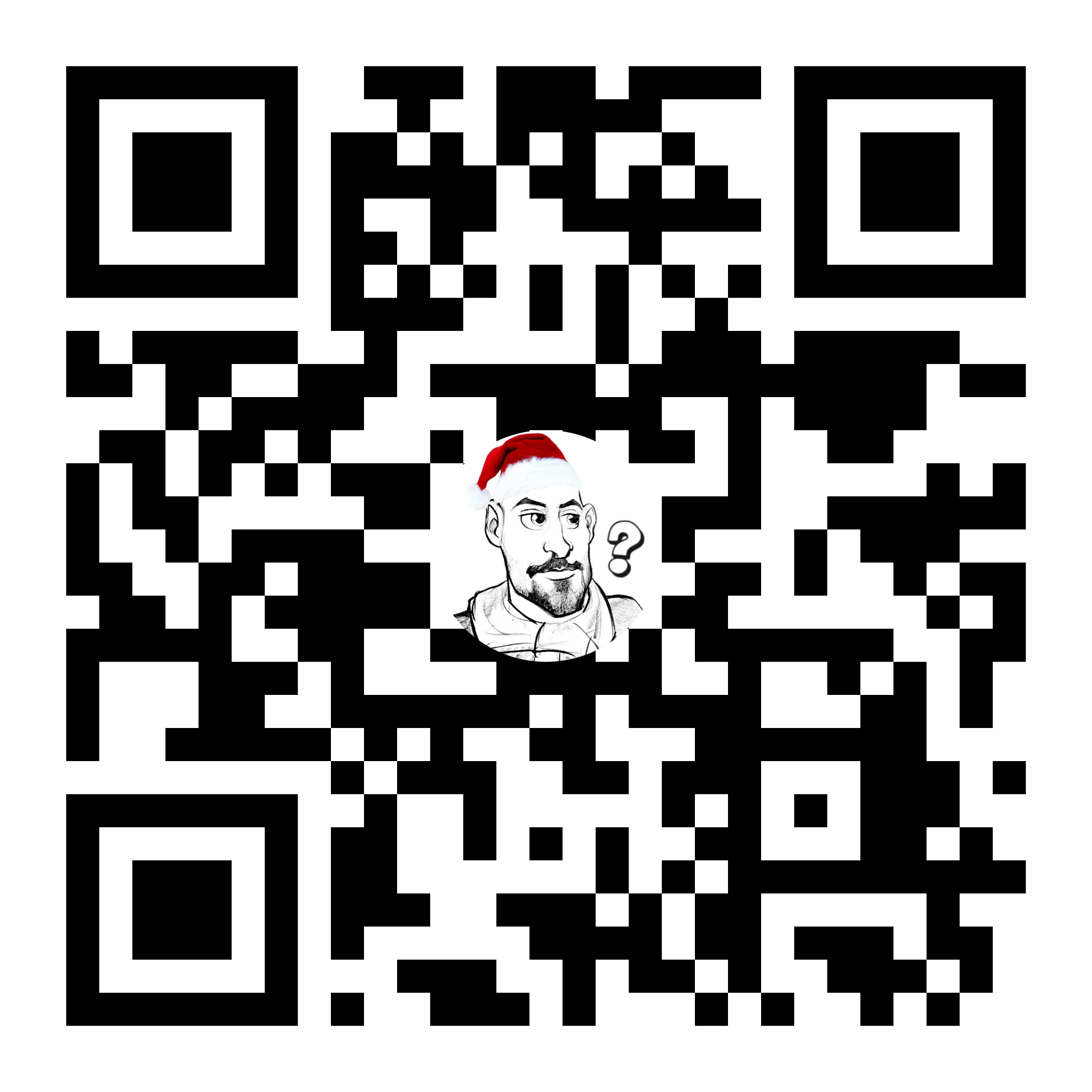
Minimum layout information
Here’s an example to generate a QR code with a minimum loayout information that should be still scannable (not guaranteed).
qr-verbose -m 2 -v 3 \
    --logo-path data/logo_example.png \
    --logo-radius=3.5 \
    -t bw \
    -e M \
    -o black_white_layout.png \
t.me/a_zachem_eto_nuzhno 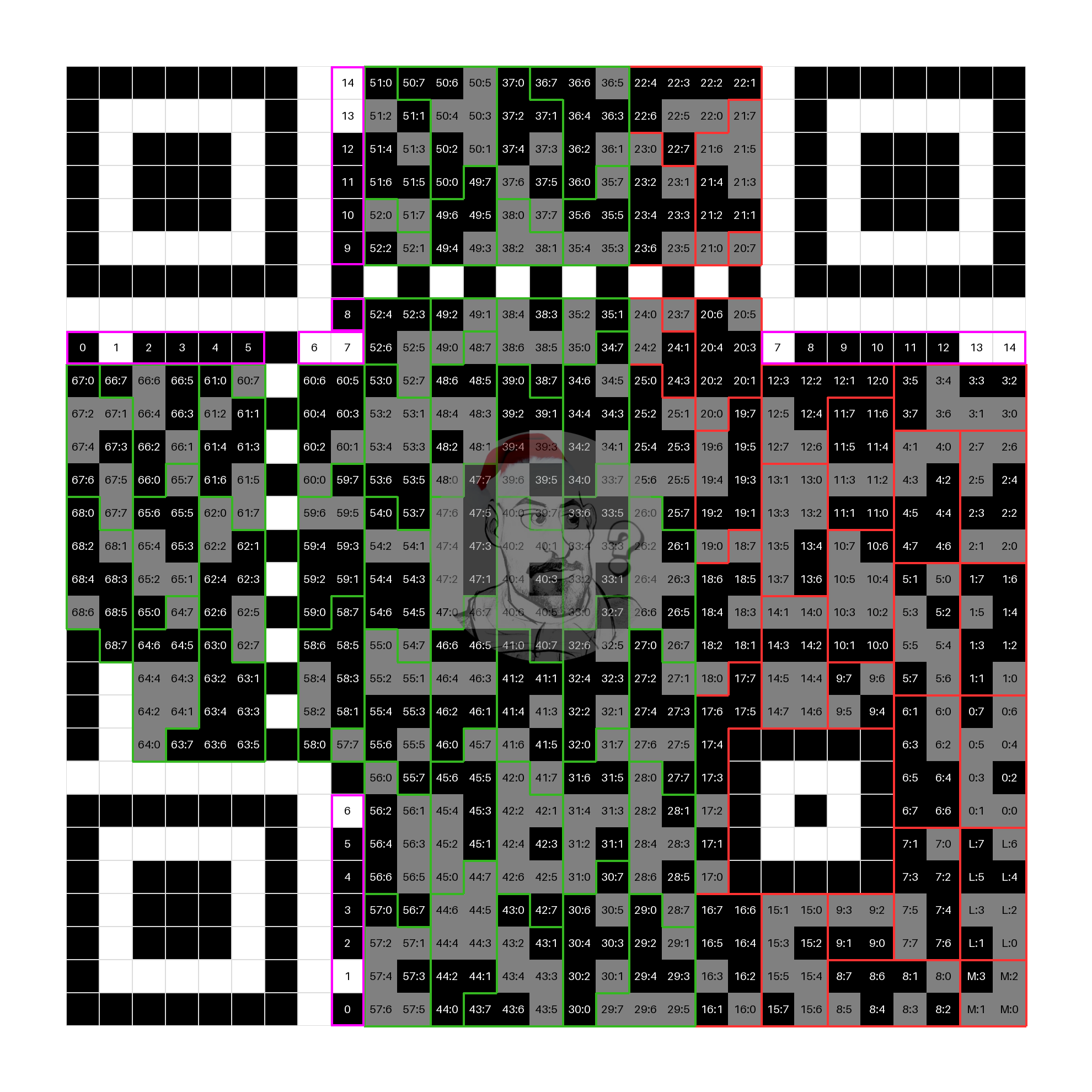
The following is the same but with unmasked data so that you can manually check the content
qr-verbose -m -1 -v 3 \
    --logo-path data/logo_example.png \
    --logo-radius=3.5 \
    -t bw \
    -e M \
    -o black_white_layout.png \
t.me/a_zachem_eto_nuzhno 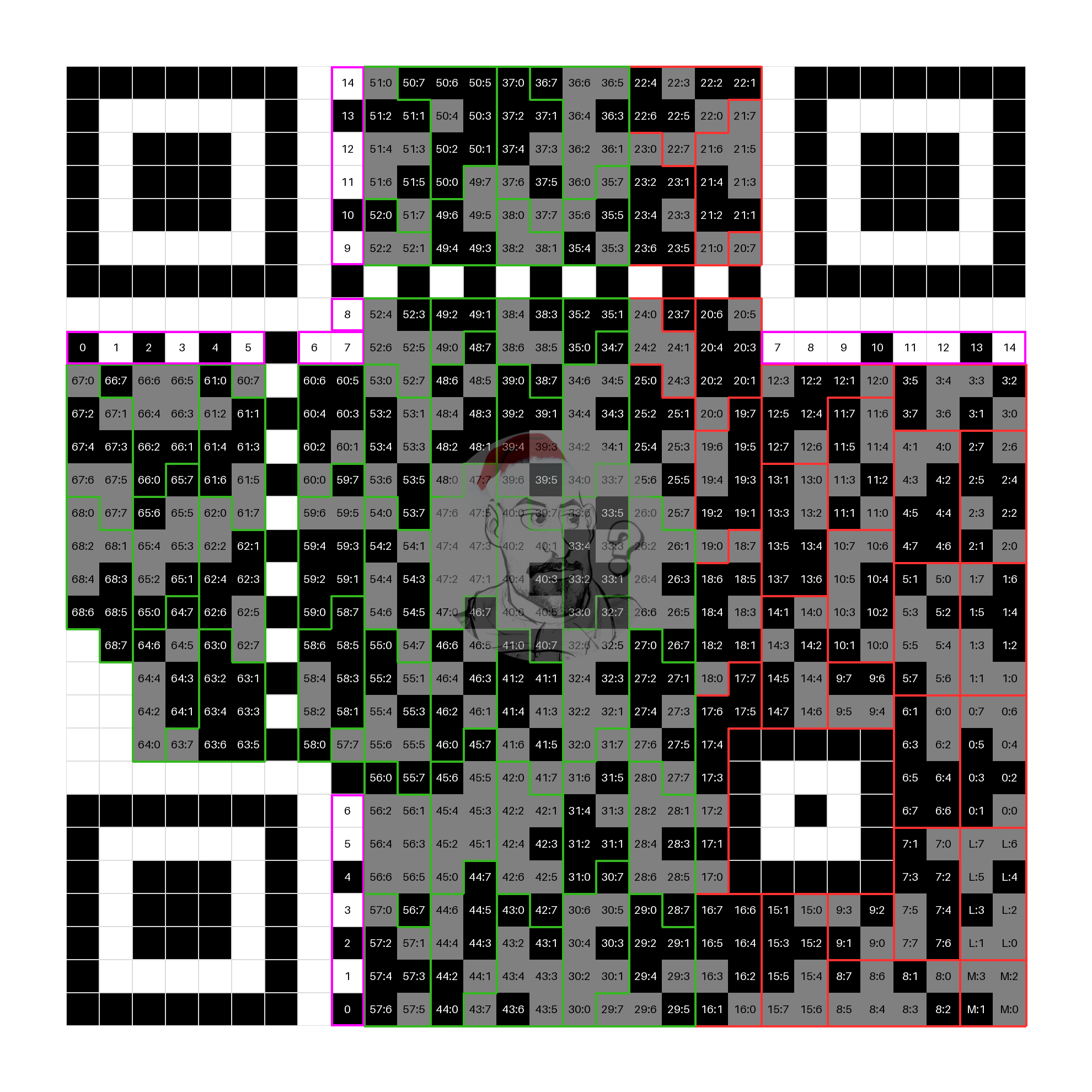
Colored layout
This colored layout mode makes different QR code zones more visible
qr-verbose -m -1 -v 3 \
    --logo-path data/logo_example.png \
    --logo-radius=3.5 \
    -t color \
    -e M \
    -o colors_and_numbers.png \
t.me/a_zachem_eto_nuzhno 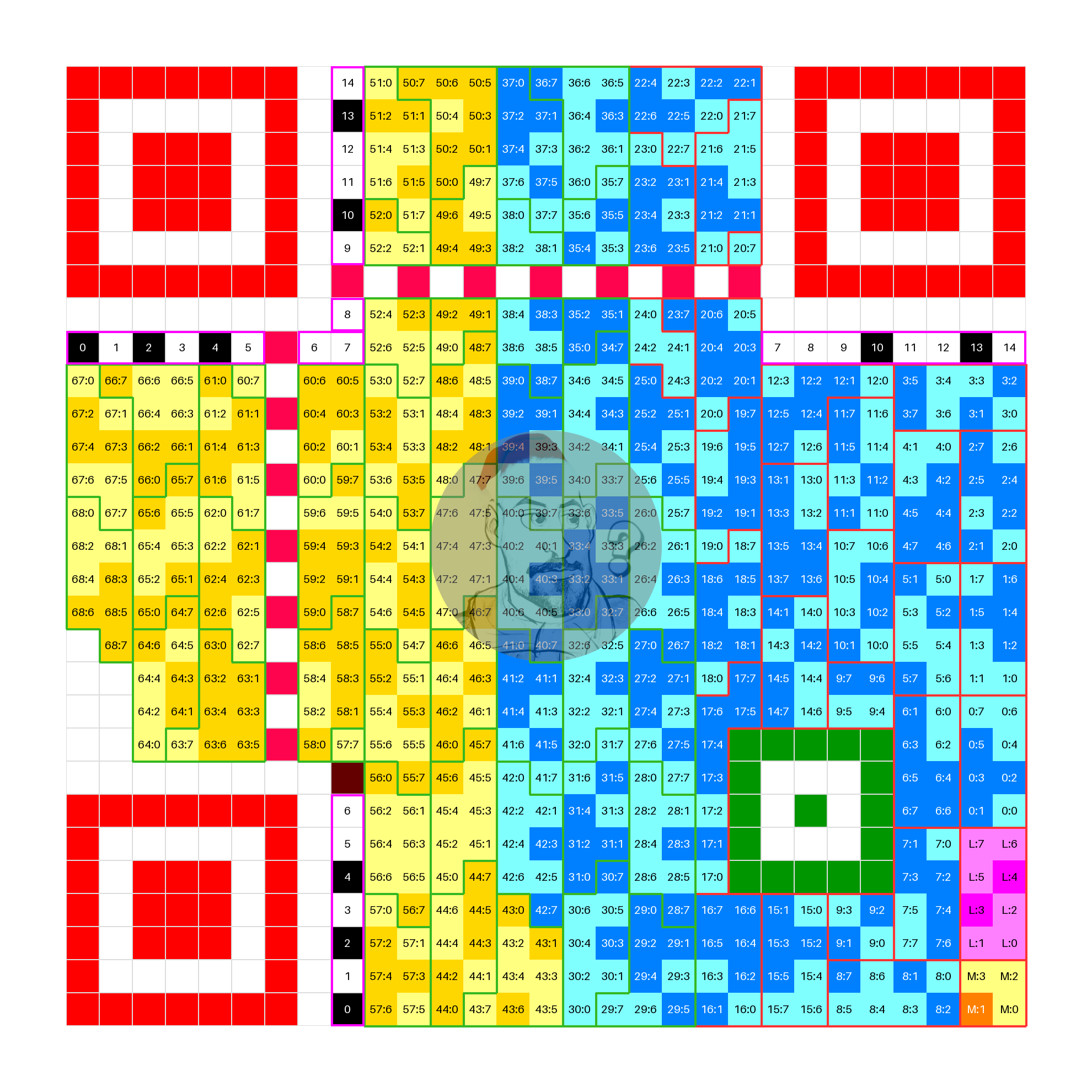
Here’s the main zones:
Three corner squares are the finder patterns
Black-white stripes around top-left corner and bottom-right to the other two are format and error correction information. Numbers inside the bits correspond to their index, indicies 0-1 are error correction information, indicies 2-4 are mask pattern information. Information is encoded via \((15, 5)\) BCH binary code and repeated twice.
Alterating stripes are timing ingormation used by qr code to easily retrieve version information.
A smaller green square is an alignment pattern.
A 4-bit square field is a data encoding mode. In this particular case it corresponds to byte mode.
A 8-bit rectangular next to a mode square is length of the data.
Area at the right of QR code contain padded data.
Area at the left contain error correction redundancy bytes.
ASCII layout
This ASCII layout mode makes highlights exact characters being encoded in the data section.
qr-verbose -m -1 -v 3 \
    --logo-path src/images/logo_example.png \
    --logo-radius=3.5 \
    -t ascii \
    -e M \
    -o src/images/ascii.png \
t.me/a_zachem_eto_nuzhno 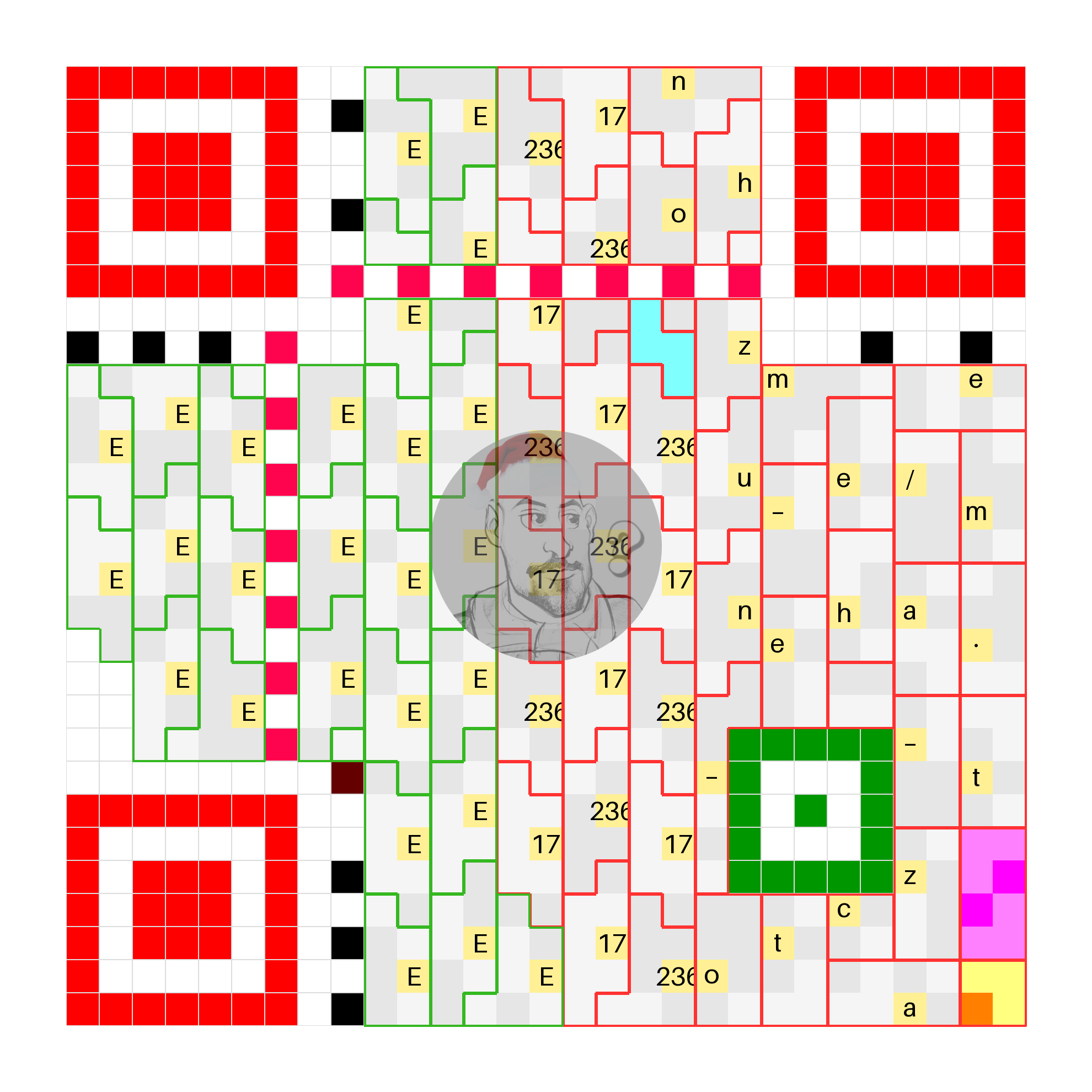
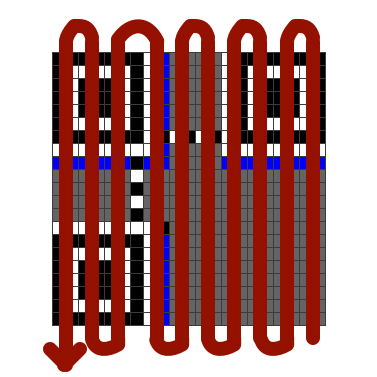
Note that the data is placed in a QR code in a snake order like on the picture above.
At the end of the data string there’s a tetris-like 4-bit figure, this is a null terminator.
After the terminator there’s a alternating sequence of padding bytes 17 and 236.
Finally after the padding error correction bytes fill the rest of the QR code.
Higher versions
Currently versions up to \(3\) are supprted due to no proper processing of interleaving and .